


App Lock - Applock Fingerprint
4.077.00 Reviews
App Specs
- Version
- 2.0.32
- Updated On
- License
- Free
- Downloads
- 10,000,000+
- Developer
- App X Tech
- Categories
- Video Players & Editors
- Platform
- Android
Screenshots
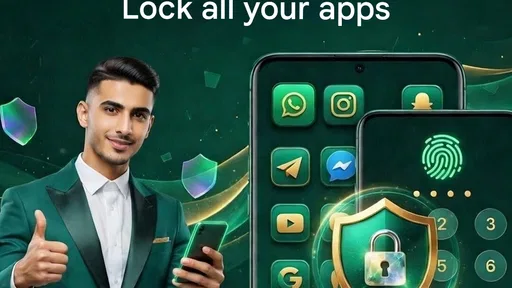
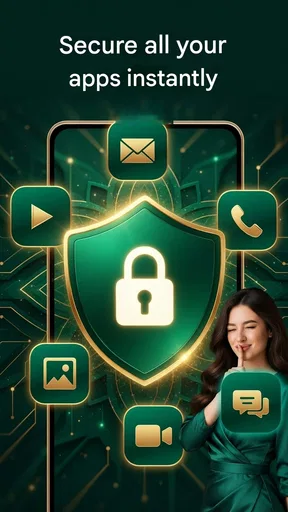
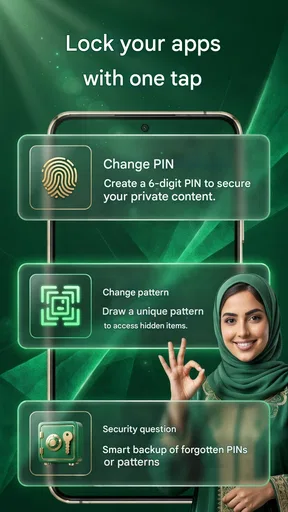
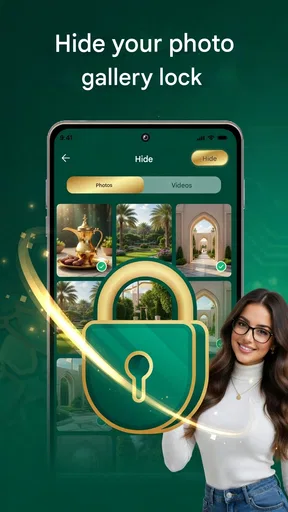
 Analysis by AppCompare
I first noticed the appeal of App Lock - Applock Fingerprint when I wanted a quick way to add a lock screen to selected apps without changing how I used my phone. It is a privacy utility in the video-player and editor category, though its purpose is app access rather than watching or editing video. The basic idea is simple: choose apps that deserve an extra check, then unlock them with a fingerprint, PIN, or pattern. That simplicity makes a good first impression, but the more useful question is whether a lock like this still feels worthwhile after the setup novelty wears off.
The first-week appeal: quick control over selected apps
For someone who lends a phone to a child to watch a video, hands it to a friend to look at a photo, or shares a device at home, a selective lock can feel more practical than keeping the whole phone out of reach. I would start with a short list: messaging, photos, or another app that holds information I would rather not expose casually. Locking everything can turn routine phone use into a series of interruptions; choosing only a few keeps the extra step focused.
The first-week benefit is also easy to understand without changing habits dramatically. A fingerprint is convenient when the device supports it, while a PIN or pattern offers another way to authenticate. The choice is not only about preference: if unlocking by fingerprint is awkward in a particular situation, a remembered backup method can prevent the lock from becoming a nuisance. I would test the recovery route early, rather than waiting until I am in a hurry to discover that I cannot get into a protected app.
The app is free to install, and its current version is 2.0.32. It has a 4.0 average from around 13,000 ratings, with more than 10 million installs. Those figures suggest that it has reached a broad audience, but they do not tell me how well it will fit every phone or routine. It is rated for Everyone, works on Android 8.0 or later, and is developed by App X Tech. Optional in-app purchases are listed at $13.99 to $54.99 per item, so I would check what a purchase offers and whether I actually need it before paying.
Making the lock useful rather than irritating
My practical rule would be to protect only the apps where an accidental glance would matter. For example, if I pass my phone to someone to choose a playlist, there is little benefit in locking every ordinary utility they might need; keeping private messages and photos behind an extra check is more targeted. This also makes it easier to remember which apps are protected and reduces the chance that I will disable the feature out of frustration.
A useful setup habit is to review the list after installing or removing apps. The point of an app lock is selective access, and an old selection can stop matching how I use the phone. I would also try the lock in ordinary conditions—after restarting the phone, switching between apps, and using the authentication method I plan to rely on—before treating it as a dependable barrier. That is not a guarantee of security, but it is a sensible way to catch friction before it becomes part of a busy day.
Where it differs from built-in privacy options
Compared with simply relying on the phone’s screen lock, this kind of tool aims to add a separate checkpoint when someone is already using the device. That can suit shared-phone moments better than handing over an unlocked phone with every app open to inspection. On the other hand, a screen lock is the more fundamental safeguard: it protects access to the device as a whole, while an app lock is a narrower layer that depends on being configured and functioning as intended. I would use the phone’s own security settings as the foundation, not treat this app as a replacement for them.
Worth Reading Before You Choose

Flipboard Shows What News Apps Must Do Beyond the Feed

Switching to Android Auto Means Rethinking Your Driving Routine

Google Calendar Makes a Crowded Week Easier to Manage

Ludo King Makes the Most of the Minutes Between Plans

Baby Panda World Brings Quick Play to Modern Phones, but Its Game Library Feels Busy

ESPN’s Live Game View Makes Following Close Games Easier
Some Android devices also offer built-in ways to restrict access or create a separate space. If a phone’s own feature covers the same need and fits the user’s habits, it may be preferable because it keeps the setup in one place. This app makes more sense for someone who wants a dedicated, app-by-app control and finds that approach easier to understand. The trade-off is another utility to maintain and another step in the path to opening protected content.
Month-to-month value depends on the routine
A privacy lock earns a lasting place only if I continue to use it without thinking about it too often. Its value is recurring rather than dramatic: each time I hand over my phone, leave it on a table, or let someone use it briefly, selected apps remain behind a checkpoint. For a person who often shares a device in these small ways, that reassurance can justify keeping the tool installed. If the phone is rarely shared and already stays locked, the extra layer may have little day-to-day value.
A realistic example is letting a relative use a phone to view a few pictures. I can open the gallery myself, then pass the device without making private messages or other selected apps equally accessible. That is more useful than locking the entire phone and repeatedly entering a passcode for a simple request. Still, I would not rely on an app lock to protect information from someone who has extended access to the device or knows its credentials. It is best understood as a guard against casual access, not as a substitute for careful account and device security.
Maintenance, compatibility, and small points of friction
The maintenance burden is not just installing the app. I would need to keep its protected-app choices relevant, confirm that my chosen unlock method remains comfortable, and make sure I know the backup method. If the app’s behavior changes after a device or system update, I would test the protected apps again instead of assuming the lock is still working exactly as before. That routine is modest, but it matters because a security tool that is forgotten or misconfigured can create false confidence.
Fingerprint access is convenient, but it is not ideal for every moment. A wet finger, a sensor that is hard to reach, or a situation where I prefer not to use biometrics can make a PIN or pattern more practical. Conversely, a pattern can be visible to someone nearby, and a PIN is only useful if I can remember it without choosing something obvious. The sensible choice is the one I can use reliably while keeping it private, not the one that sounds most secure in theory.
There is also a balance between privacy and interruptions. A lock on an app I open constantly can turn a quick check into repeated authentication, especially if I move between protected apps throughout the day. I would avoid locking apps that I need to access at a glance, then revisit the list if I find myself repeatedly bypassing the feature. A smaller, deliberate selection is often more sustainable than trying to lock every possible entry point.
Sources of fatigue and when I would skip it
The biggest reason I might remove an app lock is not that the idea stops making sense; it is that an extra prompt can become one more obstacle in a phone routine already full of sign-ins and confirmations. If I rarely lend out my phone, or if the people around me do not have access to it, the daily cost may outweigh the occasional reassurance. Someone who needs strong protection against determined access should also avoid treating an app-level lock as their only defense.
I would be cautious about relying on claims such as an intruder photo as proof that a device is secure. The published feature set includes an intruder alert, but the practical value of any alert depends on the surrounding setup and on what happens when someone attempts access. I would treat it as a possible deterrent or clue, not as a substitute for a strong device passcode, account security, or backups. Likewise, hiding an app icon may make a tool less noticeable, but concealment is not the same as protection.
For people who want a more integrated solution, the phone’s built-in privacy controls may be the better choice. For people who need to share a device often and want individual apps to require another check, a dedicated app lock is easier to reason about. The decision comes down to which inconvenience is smaller: maintaining a separate layer or accepting that anyone using an unlocked phone may be able to open more than intended.
Getting Started
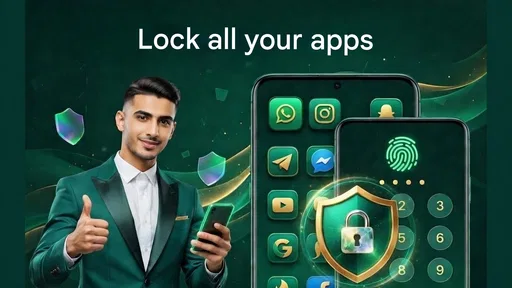
First things first, downloading and setting up the app was a breeze. As soon as you install it, App Lock - Applock Fingerprint greets you with a clean, user-friendly interface. No fluff, just straightforward options to get you up and running. You can quickly select which apps you want to lock, and it gives you a variety of lock styles to choose from. I went with the fingerprint option because, let’s face it, who can remember all those passwords?
Features and Functionality
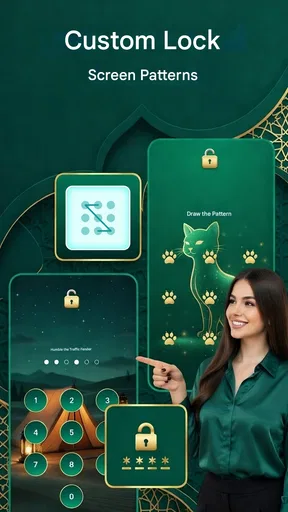
One of the standout features is the variety of lock methods available. Besides the fingerprint scanner, you can opt for a pattern or passcode. This flexibility means you can tailor the security to your preference and comfort level. Plus, the app boasts an intruder alert feature. It snaps a photo of anyone who tries to snoop around without permission. Pretty cool, right?
Another handy feature is the app’s ability to lock not just apps but also incoming calls, settings, and system apps. You can even hide the App Lock icon itself, making it invisible to anyone but you. It's like a stealth mode for your privacy!
Performance and Usability
Now, onto the performance. I was worried that adding this layer of security would slow down my phone, but surprisingly, it didn’t. The app runs smoothly in the background, and I haven’t noticed any lag or battery drain. It’s fast and responsive, which is crucial for everyday use.
The usability is top-notch as well. The app doesn’t bombard you with ads, and the interface is intuitive. Even if you’re not tech-savvy, navigating through the settings and options is straightforward. I appreciated the little details, like the customization options that allow you to change the theme and icon, making the app feel personal and less intrusive.
Security and Reliability
Security-wise, I’m impressed. The app uses advanced encryption standards to ensure your data is locked away securely. The fingerprint lock works seamlessly with my device’s sensor, and it’s both fast and reliable. I’ve tried unlocking it multiple times to test its accuracy, and it hasn’t failed me once.
One thing I’d like to highlight is the app’s reliability. We all know how frustrating it can be when an app doesn’t do what it promises. Thankfully, App Lock - Applock Fingerprint delivers on its promise of keeping your apps secure without any hiccups.
Keeping it on the phone long term
After spending some quality time with this app, I can confidently say that it’s a must-have for anyone looking to bolster their smartphone security. It’s not just about keeping prying eyes away; it’s about peace of mind. Knowing that your personal information is locked tight is worth its weight in gold.
Whether you’re worried about your curious friends or you just want an extra layer of protection, App Lock - Applock Fingerprint has you covered. With its easy setup, robust features, and seamless performance, it’s earned a permanent spot on my phone. Give it a try, and you might just find it’s exactly what you’ve been looking for to keep your digital life a little more private.
For me, its long-term appeal comes down to whether the selected locks become an unobtrusive habit. I would keep it installed for a household or social routine where other people regularly use my unlocked phone, and I would remove it if I found myself authenticating constantly without gaining meaningful privacy. That is the fairest way to judge any added security layer: not by how many options it advertises, but by whether it fits the moments when I actually need one.
Pros
- Easy to set up and use.
- Highly customizable settings.
- Supports fingerprint and PIN unlock.
- Minimal impact on device performance.
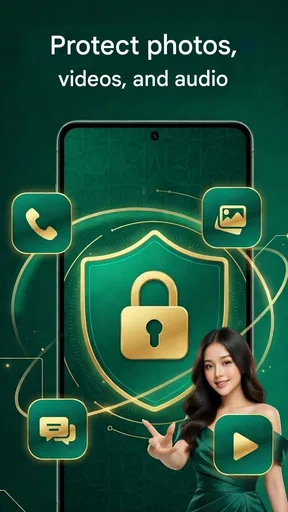
- Protects apps and sensitive data.
Cons
- May not work on all devices.
- Contains in-app ads.
- Limited features in free version.
- Occasional crashes reported.
- Some users find it hard to uninstall.
FAQs for App Lock - Applock Fingerprint
What is App Lock - Applock Fingerprint and how does it work?
App Lock - Applock Fingerprint is an application designed to enhance the security of your mobile device by allowing you to lock specific apps. It uses fingerprint recognition, patterns, or passwords to prevent unauthorized access. Once installed, you can select which apps to secure, ensuring your private data remains protected.
Is App Lock - Applock Fingerprint available for both Android and iOS devices?
Currently, App Lock - Applock Fingerprint is primarily available for Android devices. iOS users might find similar applications, but due to Apple's security policies, direct app locking might not be as comprehensive. Always check the app store for the latest compatibility updates for your device.
Does using App Lock - Applock Fingerprint affect my device’s performance?
App Lock - Applock Fingerprint is designed to be lightweight and efficient, ensuring minimal impact on your device’s performance. However, it runs continuously in the background to provide security, which might slightly affect battery life. Regular updates and optimization help maintain optimal performance.
Can App Lock - Applock Fingerprint secure all types of apps on my phone?
Yes, App Lock is versatile and can secure a wide range of apps, including social media, messaging, email, and gallery apps. However, compatibility may vary depending on your device and operating system version. Always check app permissions and settings for specific app restrictions.
Is my fingerprint data safe with App Lock - Applock Fingerprint?
Yes, your fingerprint data remains secure. App Lock - Applock Fingerprint does not store or transmit your biometric information. It utilizes your device’s built-in fingerprint scanner, ensuring that your data stays on your phone and is protected by your phone's security protocols.


